USE CASE
Engineering Software Access from Anywhere
SOLIDWORKS & Cuick Trac’s Enclave –
A Seamless Integration for Enhanced Productivity
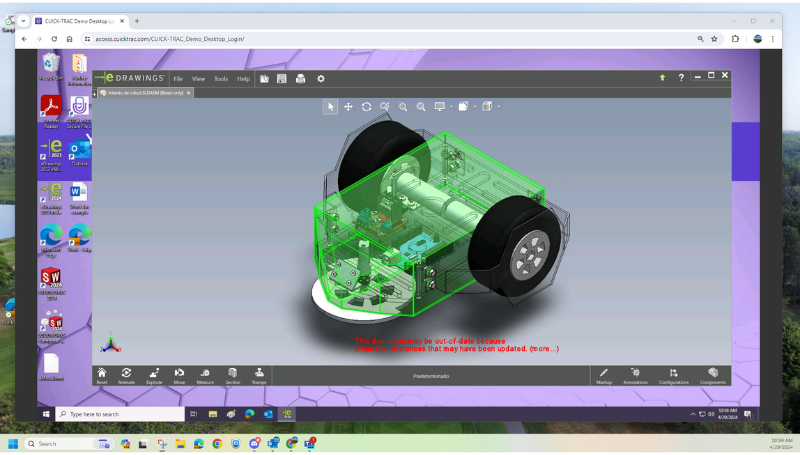
SOLIDWORKS At A Glance
THE COMPANY
SOLIDWORKS’ 3D CAD software helps engineers improve the way they design and develop complex machined and sheet metal parts.
THE CHALLENGE
Working with the government and the DoD requires security at the application level with specific integrations to manage complex files and assets. More importantly, when working with Controlled Unclassified Information (CUI), engineers need a secure and compliant way to conduct their work.
THE SOLUTION
The SOLIDWORKS software is accessed via a dedicated, virtual enclave, allowing engineers to update designs and send emails without compromising the security of CUI.

design on the fly
In the fast-paced world of design and engineering, the ability to access powerful software like SOLIDWORKS remotely is a game-changer.
Traditionally, SOLIDWORKS required high-performance workstations to handle its resource-intensive tasks. However, with the rise of remote work and the need for enhanced cybersecurity, accessing SOLIDWORKS on the go has become a necessity.
Now, engineers working on a defense project can securely log in to Cuick Trac’s CUI enclave via the web-based portal and access their SOLIDWORKS environment without compromising security or performance.
SOLIDWORKS - SEAMLESSLY INTEGRATED
Once logged in, engineers can create new designs and open existing projects that contain CUI. When a design needs to be emailed to the appropriate parties, Cuick Trac’s secure email, which is built in but completely separate from the user’s commercial email, keeps the entire workflow contained within the boundary of Cuick Trac’s infrastructure, keep CUI secure while in transit.
STEP 1
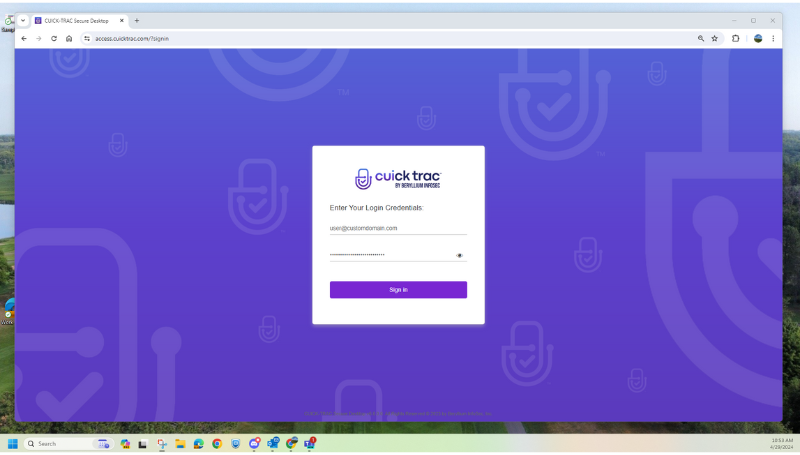
Authorized users of Cuick Trac access their environment via Cuick Trac’s secure web portal, from their company-issued laptop or desktop.
STEP 2
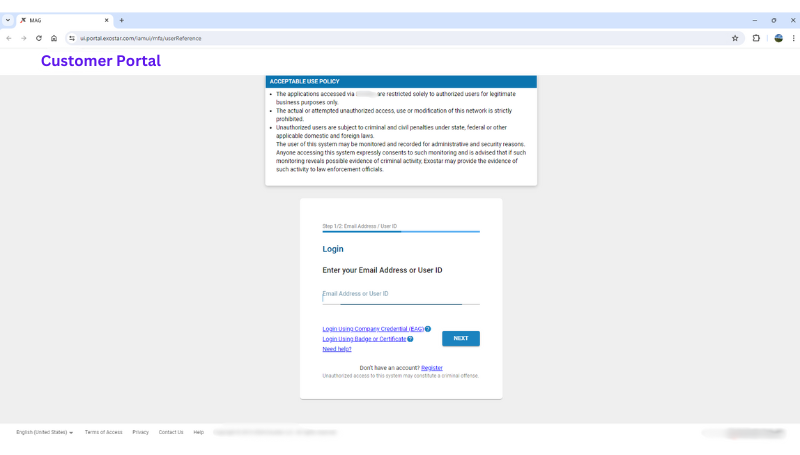
Once inside Cuick Trac, users can securely access whitelisted URLs, such as secure customer portals, in order to access necessary files and drawings containing secure data such as CUI, Covered Defense Information (CDI) or Covered Technical Information (CTI).
STEP 3
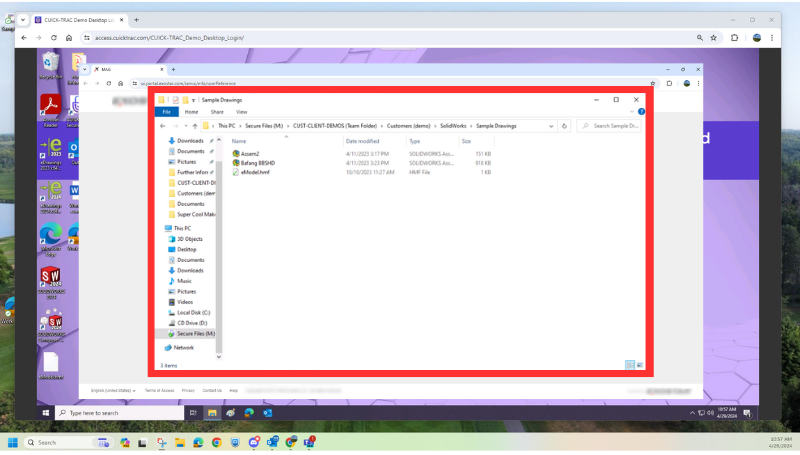
From the customer’s secure file portal, users can transfer files and save them securely to their Cuick Trac secure storage drive. From there, users can structure their files however they need to.
STEP 4
User opens SOLIDWORKS from within their Cuick Trac environment. From there, users can search for, open, work on and save necessary files within Cuick Trac.
STEP 5
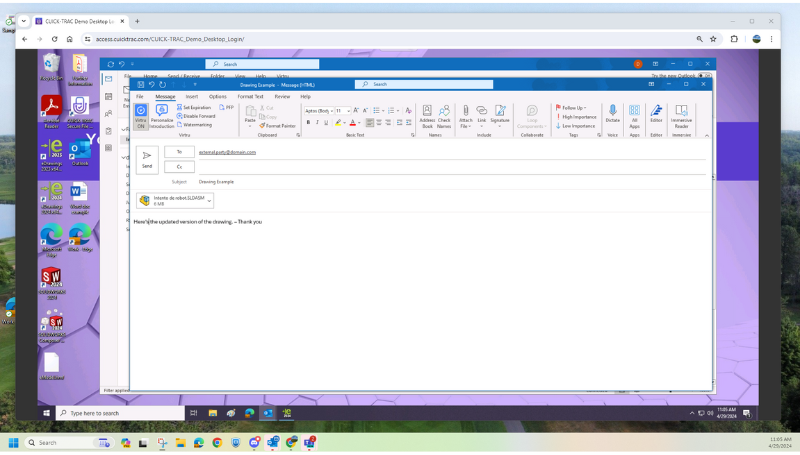
Once a user has saved their file, they can easily send secure emails containing CUI to external or internal parties. Users can also upload files containing CUI to their customers’ secure web portals.
STEP 6
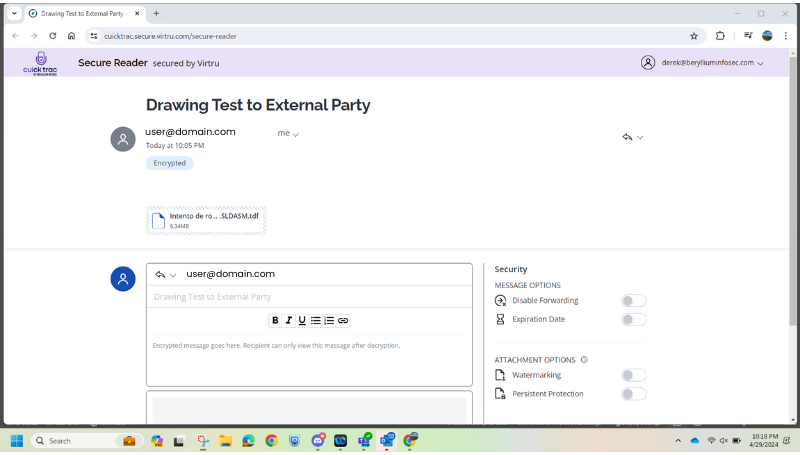
Once a Cuick Trac user securely emails their file(s) to an external party, if allowed by the Cuick Trac user, the external party can access and download the files to their environment via a secure web reader, without having to be a Cuick Trac user themselves.
BENEFITS
SECURITY
End-to-end encryption, multi-factor authentication, secure email, storage, monitoring and alerting.
ACCESSIBILITY
Engineers can access SolidWorks from their device in any controlled environment with an internet connection.
PERFORMANCE
Cuick Trac is optimized for SOLIDWORKS, offering robust performance while using a virtual environment for CUI projects.
COMPLIANCE
Cuick Trac meets all necessary technical requirements and is suitable for defense contractors required to protect CUI.